FIP Cerrado - Fire monitoring (current map)
Part of the project FIP - Cerrado monitoring.
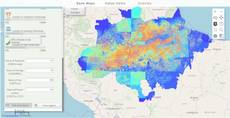
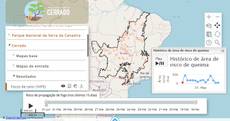
This is the fire-monitoring map now on the FIP - Cerrado monitoring site (in Portuguese); the older Fip Cerrado project card shows an earlier map. The layer panel has one group per area: the whole Cerrado and eight protected areas, from Chapada dos Veadeiros and Serra da Canastra to Jalapão and the Serra do Rola-Moça state park. Opening an area zooms to it, closes the others and reports how many fire spots were recorded there. Each area holds base maps, a Planet basemap, MODIS or Sentinel imagery, its fire history (burned area 2001-2020) and the products: heat spots, fire-propagation risk, time of the fire front and the propagation risk of the last 15 days. For the Cerrado, three interactive layers (biome, conservation units, municipalities) chart the burned area and CO2 emissions of the place under the cursor. The code is query 301.
How it is built
- Nested groups built by a function. One helper builds each area’s
viewTitlegroup with five sub-groups; itsonToggleViewGroupzooms, closes the other areas and shows the totals. See the layer and group model. - Timelines. Land use (2000-2019) and burned area step through yearly styles; the 15-day risk timeline builds its steps from the dates of the last 15 days, ending yesterday. See timeline panel.
- Hover charts. On the interactive layers a
hoverpixelpasses the area under the cursor toonHover, which fills a window from fire and emissions CSV files read withloadcsv; a click freezes it. See Hoverpixel and LoadCsv. - Charts in windows. Highcharts draws burned area and emissions per year, monthly burned area against the historical mean, and the total area at risk over the 15 days, in
windowwidgets. See charts and Window. - Downloads. Hidden
buttonwidgets serve the KMZ and spreadsheet downloads. See Button. - Notification and branding.
ExtjsUtils.ALERTIFY.logreports the fire spots, andExtjsUtils.QUERY.decorateadds a footer with the partners’ logos. See notifications.
Try this
- Open “PARNA da Chapada dos Veadeiros” and play the 15-day risk timeline in “Produtos”.
- In the Cerrado group, hover over a municipality and switch between the monthly and the yearly history.
- Add
&area=canastrato the map address: the map opens on Serra da Canastra.
Reference: the parameters used here
Generated from the platform source. Every entry, searchable, is in the API reference; the raw data is api.json. Open an entry for its description, parameters and example; # links to it.
QUERY · setup calls and the running query
QUERY2 entriesdecorate
function(pageProperties) : Booleanhelper# Decorates the page for the current query: header logo and top-bar style, a footer, and arbitrary CSS rules.
decorateWritten as ExtjsUtils.QUERY.decorate
Decorates the page for the current query: header logo and top-bar style, a footer, and arbitrary CSS rules. Exactly three keys are reserved:
header{Object}:logo: {src, style}puts an image in the top bar's logo container
(styleis an object of CSS properties applied to the container);topbar: {style}styles
the top bar itself.footer{Object}:htmlis the footer content,stylean object of CSS properties for it;
the footer container is shown and pinned to the bottom of the page.run{Function}: called once, after the header/footer are applied — the place for
arbitrary code that must run when the query is decorated. Every other key is passed toCSS.defineClass(key, value)as a CSS rule: the key is the selector and the value the rule body (a string such as"display: none;"or an object of CSS properties). So an accidental extra key becomes a CSS rule — do not put code under a made-up key, userun. Everything is removed when another query loads, and the whole call is a no-op while the query is only being parsed. Chain it with&&before the layer array.
- pageProperties Object
header,footer,run, plusselector: "css rules"pairs.
Returns Always true, so the call can be chained with && QUERY_DESCRIPTION.
ExtjsUtils.QUERY.decorate({
  header: {
    logo: { src: "https://example.org/logo.png", style: { "padding-left": "10px" } },
    topbar: { style: { "background-color": "#1b5e20" } }
  },
  footer: { html: "<b>Source:</b> my institution", style: { "text-align": "center" } },
  run: function() { console.log("decorated"); },
  ".x-tree-node-anchor": "font-size: 14px;"
}) && QUERY_DESCRIPTION
setQueryGlobalProperties
function(globalProperties) : Booleanhelper# Defines globals for the query: every key of globalProperties becomes a window property (a value, an object or a function) that layer definitions, markup widgets (handler=, onMark=...) and …
setQueryGlobalPropertiesWritten as ExtjsUtils.QUERY.setQueryGlobalProperties
Defines globals for the query: every key of globalProperties becomes a window property (a value, an object or a function) that layer definitions, markup widgets (handler=, onMark=...) and other query code can reference by name. The names are recorded and the globals are deleted when another query loads. A key that already exists on window and was not created by the query is refused with "Global variable can't be redefined" in the console (the platform's own globals are protected; redefining one of the query's own keys is fine). runNow is the only key the platform itself invokes: right after the globals are registered QUERY.runNow is called once (see that entry). Chain it with && before the layer array so the globals exist when the layers are evaluated; QUERY_DESCRIPTION in the examples stands for that array.
- globalProperties Object
- Object whose keys become globals; each value may be a value, an object or a function.
Returns Always true, so the call can be chained with && QUERY_DESCRIPTION.
ExtjsUtils.QUERY.setQueryGlobalProperties({
  globalCount: 0,
  onLayerButton: function(btn) { console.log("clicked", btn); },
  runNow: function() { ExtjsUtils.ZOOM.limitZoomLevel(17); }
}) && [
  { name: "CSR:estados", visibility: true, descriptionHtml: "{{button|id=b1|text=Go|handler=onLayerButton}}" }
]
timeline · scenarios over time (input)
Timeline3 entriesWritten in a layer's descriptionHtml as {{timeline|parameter=value|...}}
nextStepInterval
Number= 2100# Defines the duration of the interval between steps of the timeline in milliseconds.
nextStepIntervalDefines the duration of the interval between steps of the timeline in milliseconds.
|nextStepInterval=1000|onPlayToggle
function# Defines the callback function called when the play/stop button is toggled, BEFORE the animation starts or stops.
onPlayToggleDefines the callback function called when the play/stop button is toggled, BEFORE the animation starts or stops. It must return a truthy value: returning false/nothing cancels the start/stop (use it as a veto, e.g. while data is loading). pressed is true when the animation is about to start.
The value is resolved as a key of the layer functions object, then as a global function with that name, then as inline function text (function(...){...}; a plain statement body also works and returns true).
- pressed Boolean
- True if the button was pressed (animation about to start), False otherwise.
- layer Object
- The layer associated to this timeline.
- timeline Object
- The timeline panel.
- playBtn Object
- The play/stop button.
|onPlayToggle=onPlayToggle||onPlayToggle = function (pressed, layer, timeline, playBtn) {
console.log("The timeline is about to " + (pressed ? "start" : "stop"));
return true; // required, a falsy return cancels the toggle
}|steps
Array.<Array.<(String|Object)>># Defines the timeline change steps.
stepsDefines the timeline change steps.
|steps=[["step_0"], ["step_1"], ["step_2"]]||steps=[['Nome', {style:"step_0_style",name:"CSR:estados"}], ['Região', {style:"step_1_style",name:"CSR:estados"}], ['Geocódigo', {style:"step_2_style",name:"CSR:estados"}]]||steps=[['Nome', 'step_0'], ['Região', 'step_1'], ['Geocódigo', 'step_2']]||steps=[{1990: "layer_style0", 1991: "layer_style1", 1992: "layer_style2"}, 1993: "layer_style3"}]|hoverpixel · value under the mouse (input)
Hoverpixel2 entriesWritten in a layer's descriptionHtml as {{hoverpixel|parameter=value|...}}
Usage: {{hoverpixel}}
runOnClick
function= undefined# Defines a callback when the user clicks on the map.
runOnClickDefines a callback when the user clicks on the map.
It passes the following parameters for the callback function: handleOnClick(layerVals, inputs, coordinates, clickEvent, lastCoordinates)
- layerVals Array
- Array with the values of the maps at the pixel that was clicked.
- inputs Array
- Array with the values of the inputs defined in the descriptionHtml.
- coordinates OpenLayers.LonLat
- The point that was clicked, in the map's projection (Web Mercator, metres) despite the names:
lonis x andlatis y. For degrees, transform it:coordinates.clone().transform(ExtjsUtils.JS.getMap().getProjectionObject(), new OpenLayers.Projection("EPSG:4326"))(lastCoordinates below already holds degrees, of the previous click and hover). - clickEvent MouseEvent
- Mouse event that triggered the function.
- lastCoordinates Object
- Object with the last coordinates (latitude, longitude) from the last click and the last hover events. lastCoordinates = { click: { lat: // Latitude of the last click lon: // Longitude of the last click }, hover: { lat: // Latitude of the last hover lon: // Longitude of the last hover } }
|handleOnClick: function(layerVals, inputs, coordinates, clickEvent, lastCoordinates) {
     var degrees = coordinates.clone().transform(ExtjsUtils.JS.getMap().getProjectionObject(), new OpenLayers.Projection("EPSG:4326"));
     ExtjsUtils.ALERTIFY.log("Latitude: " + degrees.lat.toFixed(3) + " Longitude: " + degrees.lon.toFixed(3));
}|
runOnHover
function= undefined# Defines a callback when the user hovers the map.
runOnHoverDefines a callback when the user hovers the map.
It passes the following parameters for the callback function: handleOnClick(layerVals, inputs, coordinates, clickEvent, lastCoordinates)
- layerVals Array
- Array with the values of the maps at the pixel that was hovered.
- inputs Array
- Array with the values of the inputs defined in the descriptionHtml.
- coordinates OpenLayers.LonLat
- The point that was hovered, in the map's projection (Web Mercator, metres) despite the names:
lonis x andlatis y. For degrees, transform it:coordinates.clone().transform(ExtjsUtils.JS.getMap().getProjectionObject(), new OpenLayers.Projection("EPSG:4326"))(lastCoordinates below already holds degrees, of the previous click and hover). - mouseMoveEvent MouseEvent
- Mouse event that triggered the function.
- lastCoordinates Object
- Object with the last coordinates (latitude, longitude) from the last click and the last hover events. lastCoordinates = { click: { lat: // Latitude of the last click lon: // Longitude of the last click }, hover: { lat: // Latitude of the last hover lon: // Longitude of the last hover } }
|handleOnHover: function(layerVals, inputs, coordinates, mouseMoveEvent, lastCoordinates) {
     ExtjsUtils.ALERTIFY.log("Latitude: " + coordinates.lat + " Longitude: " + coordinates.lon);
}|
loadcsv · load a CSV table (input)
LoadCsv1 entryWritten in a layer's descriptionHtml as {{loadcsv|parameter=value|...}}
getLines
function(columns, values, includeHeader) : Array.<Array.<String>># Returns the lines (arrays of cell strings) whose cells in columns equal the corresponding entries of values.
getLinesReturns the lines (arrays of cell strings) whose cells in columns equal the corresponding entries of values. Columns may be given by index or by header name; to filter on several columns give one value per column, e.g. getLines([1, "Year"], ["Park A", 2024]). Values are compared as strings (the CSV is always text). Called with no arguments it returns every data line (header skipped) — a common idiom. When all filtered columns were indexed with createIndexes the lookup uses the index instead of scanning every line.
- columns Array.<(String|Number)>
- Indexes and/or names of the columns to filter on.
- values Array
- One value per entry of
columns. - includeHeader Boolean
- True to also return the header line when it matches (only in the scanning path, i.e. without indexes).
Returns The matching lines; all data lines when no filter is given.
var csv = inputs.id["fire_csv"];
var rows2024 = csv.getLines(["Year"], [2024]);      // by header name
var rowsParkA = csv.getLines([0, "Year"], ["Park A", 2024]); // two columns
var allRows = csv.getLines();                         // every data line
Highcharts · charts
Highcharts1 entryUsage: (Highcharts.chart(DOM_ID, {});)
chart
function(renderTo, options) : Object# Highcharts is loaded by the calculator and editor pages, so a query can call Highcharts.chart(...) without loading anything: put a container in the layer's descriptionHtml and create the chart …
chartWritten as Highcharts.chart
Highcharts is loaded by the calculator and editor pages, so a query can call Highcharts.chart(...) without loading anything: put a container in the layer's descriptionHtml and create the chart once the panel exists - in onInputsReady, in beforeCalc or in a widget handler - then update it as results arrive instead of recreating it. ExtjsUtils.HIGHCHART.getById(id) gives the chart back from the container's id, which is what makes the update possible from another callback.
The bundled build covers the standard chart types plus highcharts-more. Extra modules are loaded on demand with AsyncLoader.loadScriptOnce (see the Sankey entry).
- renderTo String
- Id of the container element declared in
descriptionHtml. - options Object
- The Highcharts configuration object.
Returns The chart instance.
descriptionHtml: '<div id="emissions_chart" style="height:220px"></div>',
functions: {
    drawChart: function (values) {
        var chart = ExtjsUtils.HIGHCHART.getById('emissions_chart');
        if (chart) { chart.series[0].setData(values); return; }
        Highcharts.chart('emissions_chart', {
            chart: { type: 'column' },
            title: { text: 'Emissions by year' },
            xAxis: { categories: ['2020', '2021', '2022'] },
            series: [{ name: 'Mt', data: values }]
        });
    }
}
window · floating window (input)
Window2 entriesWritten in a layer's descriptionHtml as {{window|parameter=value|...}}
It can only be shown when the layer is visible.
onBeforeHide
function# Defines a callback function to be called before hiding the floating window.
onBeforeHideDefines a callback function to be called before hiding the floating window.
- layer Object
- Scope of the layer
- data Array
- [window, button, windowConfig] window: Window object; button: Button created; windowConfig: Window object configuration
|onBeforeHide = function (layer, [window, button, windowConfig]){
 console.log(layer);
 console.log([window, button, windowConfig]);
}|
underButtons
Boolean# Defines where the floating window will be positioned in relation to the buttons panel.
underButtonsDefines where the floating window will be positioned in relation to the buttons panel. Set true to position the window under the right buttons panel, false otherwise.
|underButtons = false|button · push or toggle button
Button2 entriesWritten in a layer's descriptionHtml as {{button|parameter=value|...}}
handler
function= undefined# Defines the callback function on button click event.
handlerDefines the callback function on button click event. This should be used when the enableToggle property is false. this inside the callback is the layer.
The value is resolved in this order: (1) a key of the layer functions object with that name; (2) a global function with that name (e.g. defined with setQueryGlobalProperties); (3) otherwise the text itself is evaluated as a function — either a full function(){...} expression or a plain statement body. With enableToggle=true and no toggleHandler, handler is used as the toggle handler.
- button Ext.Button
- The button element that was clicked.
- clickEvent EventObject
- An event object carrying information about the click event.
|handler=onExportClick||handler = function (button, clickEvent){
console.log(button, clickEvent);
}|toggleHandler
function= undefined# Defines the callback function on button toggle event.
toggleHandlerDefines the callback function on button toggle event. This should be used when the enableToggle property is true. this inside the callback is the layer.
The value is resolved in this order: (1) a key of the layer functions object with that name; (2) a global function with that name (e.g. defined with setQueryGlobalProperties); (3) otherwise the text itself is evaluated as a function — either a full function(){...} expression or a plain statement body.
- button Ext.Button
- The button element that was clicked.
- state Boolean
- The next state of the button, true means pressed.
|enableToggle=true|toggleHandler=onToggleDetails||toggleHandler = function (button, pressed){
console.log(button, pressed);
}|ALERTIFY · messages and questions
Alertify1 entrylog
function(msg, config)helper# Shows an user notification (if enabled).
logWritten as ExtjsUtils.ALERTIFY.log
Shows an user notification (if enabled).
PS: The messages before layer loading are delayed, when it finishes only the last message will be shown.
- msg String
- The message that will be displayed in the alert. It can be in HTML format.
- config Object
- Configuration parameters for the message. { force: {Boolean} Force to show notification even when disabled. func: {Callback} Callback function when the notification is clicked. onlyMsg: {Boolean} True to only show message and hide the close and the stop notifications, False otherwise. delay: {Numeric} Amout of time in milisseconds before the message hide. spamTime: {Numeric} Time the same message to be shown again is considered spam. (even with force = true). }
Group properties
GroupProperties2 entrieselements
Array.<Layers>= Array.emptyproperty# Defines the Layers that will be part of the Group.
elementsDefines the Layers that will be part of the Group. Each Layer can have multiple maps inside it. All maps inside a Layer will be shown together when that Layer is enabled. Besides that, all information about those maps can be used to calculate a new one using custom functions that can be writen in JavaScript.
[
  {
     title: 'A group with Layers!',
     color: '#FFA500',
     elements: [
        // Define your Layers here
     ],
  },
]
See also To learn more about Layers and it’s properties, check their documentation at: Layer Section.
viewTitle
String= string.emptyproperty# Define the Title of the View that will gather together the elements inside it (Groups or other Views).
viewTitleDefine the Title of the View that will gather together the elements inside it (Groups or other Views). If an external View has in its elements another definition of a 'viewTitle', subviews will be created, like in the second example.
// Exemple 1: View with a Layers inside it
[
  {
     viewTitle: 'This View has a Group 3 Layers',
     title: 'This is a Group with 3 Layers',
     color: '#5BA300',
     elements: [
        {
           title: 'Layer 1',
           name: 'CSR:estados',
           source: 'local',
           opacity: 0.5,
           visibility: true,
        },
        {
           title: 'Layer 2',
           name: 'CSR:rios_principais',
           source: 'local',
           opacity: 0.5,
           visibility: true,
        },
        {
           title: 'Layer 3',
           name: 'CSR:geologia',
           source: 'local',
           opacity: 0.65,
           visibility: true,
        },
     ],
  },
]
// Exemple 2: View with others 'viewTitle' defined inside it
[
{
// This is the definition of the View
viewTitle: 'This External View has 2 others Inner Views inside it, each with 1 Group that has 1 Layer',
title: 'This View has 2 Groups, each with 1 Layer',
color: '#0073E6',
elements: [
{
title: 'Group 1',
// This 'viewTitle' will create a division in the menu that shows when the mouse hovers the navigation bar option 'This View has 2 Groups, each with 1 Layer'
viewTitle: 'Inner View with Group 1',
color: '#E6308A',
elements: [
{
title: 'Group 1 - Layer 1',
name: 'CSR:altimetria',
source: 'local',
visibility: true,
},
],
},
{
title: 'Group 2',
// This 'viewTitle' will create a division in the menu that shows when the mouse hovers the navigation bar option 'This View has 2 Groups, each with 1 Layer'
viewTitle: 'Inner View with Group 2',
color: '#B51963',
elements: [
{
title: 'Group 2 - Layer 1',
name: 'CSR:batimetria',
source: 'local',
visibility: true,
},
],
},
],
},
]Group callbacks (viewTitle groups)
GroupFunctions1 entryonToggleViewGroup
function= nullcallback# Called whenever a viewTitle group of the Legend Window is expanded or collapsed (by the user or by code).
onToggleViewGroupCalled whenever a viewTitle group of the Legend Window is expanded or collapsed (by the user or by code). It belongs on a group that has viewTitle: the handler is bound to that group's tree node, so this is the node and view.expanded is true after an expand and false after a collapse. When declared on a layer instead of a group, it is attached to the layer's nearest viewTitle ancestor (once per layer that declares it); on a flat layer with no viewTitle ancestor it is bound to the invisible root node, i.e. it never fires. A typical use is hiding the layers of the collapsed group and restoring them on expand.
- view Ext.tree.TreeNode
- The tree node of the group whose state changed (
view.expanded,view.text,view.childNodes).
[
  {
     viewTitle: 'Example View (Click me!)',
     viewColor: '#FFA500',
     title: 'Click the view to change its state',
     color: '#666699',
     openGroup: true,
     onToggleViewGroup: function handleToggleViewGroup(view) {
        let viewState = (view.expanded ? 'open' : 'closed');
        ExtjsUtils.ALERTIFY.log('The ' + view.text + ' is ' + viewState );
     },
     elements: [
        {
           title: 'Layer 1',
           name: 'CSR:estados',
           source: 'local',
           startListed: true,
        },
     ],
  },
]
REQUEST · page address and network
Request2 entriesget
function(url, success, failed, forceSynchronous, scope) : XMLHttpRequesthelper# Plain AJAX GET request.
getWritten as ExtjsUtils.REQUEST.get
Plain AJAX GET request. The usual way for query code to fetch a CSV/JSON/text resource from the Mappia server (/theme/app/data/..., a WFS GetFeature on the local GeoServer) or from any server that allows the page origin (CORS); cookies are sent on cross-origin calls. For servers without CORS headers use getCORS. Both callbacks receive the XMLHttpRequest as their only argument — read xhr.responseText.
- url String
- URL to load (relative to the page or absolute, including the protocol).
- success function
- Called with the XMLHttpRequest when the status is 200.
- failed function
- Called with the XMLHttpRequest on any other status.
- forceSynchronous Boolean
- True to make the request synchronous (deprecated), false for asynchronous.
- scope Object
thisfor thesuccessandfailedcallbacks.
Returns The request object (can be aborted with xhr.abort()).
var url = ExtjsUtils.REQUEST.getGeoserverBaseUrl() + "/wfs?service=WFS&version=1.0.0&request=GetFeature" +
    "&typename=CSR:example_layer&outputFormat=json&CQL_FILTER=code='" + code + "'";
ExtjsUtils.REQUEST.get(url, function(xhr) {
    var features = ExtjsUtils.GEOJSON.geojson2Features(JSON.parse(xhr.responseText));
    ExtjsUtils.ZOOM.zoomToExtent(features[0].geometry.getBounds());
}, function(xhr) {
    ExtjsUtils.ALERTIFY.alert("Request failed: " + xhr.status);
});
getParameterByName
function(name) : Stringhelper# Reads a parameter of the page URL query string (?name=value), URL-decoded, with + turned into spaces.
getParameterByNameWritten as ExtjsUtils.REQUEST.getParameterByName
Reads a parameter of the page URL query string (?name=value), URL-decoded, with + turned into spaces. This is the standard way for a query to receive external input (a property code, a language, a colour) from the embedding page. The name match is case-insensitive.
- name String
- Name of the URL parameter.
Returns The decoded value, or an empty string when the parameter is absent.
// page opened as /calculator/?queryid=1&car=MG-1234567-ABCD
var car = ExtjsUtils.REQUEST.getParameterByName("car"); // "MG-1234567-ABCD"
if (car) loadProperty(car);