Quick start
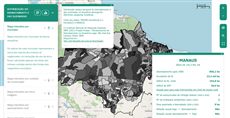
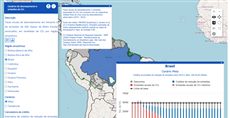
The example below, running in the Mappia calculator - click it to run it live. Full-size picture
- Run it
Click the picture: the map opens right here and runs the example. Nothing is saved, and nothing to install.
- Try it
- The About this map window opens with the map. Drag its title bar, or resize it from a corner.
- Press About this map in the layer panel: the window closes. Press it again to reopen it.
- Hide the States layer: the window closes too, and comes back when you show the layer again.
- Make it yours
Copy the query, change it - the key parameters are below - and run it again in the playground, or paste it into the Mappia editor to save it as your map.
Key parameters
| Parameter | Example | What it does |
|---|---|---|
html | <p style='padding:10px'>Brazilian states.</p> | Starting content of the window. It may contain =, but not | or }}. |
startVisible | true | Opens the window as soon as the layer loads. Otherwise users open it with the button. |
text | About this map | Label of the button that opens and closes the window. Default: Show/Hide Window. |
title | About this map | Text in the window’s title bar. |
x | 380 | Pixels from the left edge of the page. A negative value counts from the right edge. y works the same from the top. |
id | about_window | Id of the content area inside the window. Ext.getCmp(id).update(html) replaces its content. |
Every parameter, with its type and default, is in the reference at the end of this page.
Complete example
The query 16 lines · runs as is
// Window: a floating window plus the button that opens and closes it. The tag renders as the
// button; startVisible=true opens the window when the layer loads.
[
  {
    title: "States",
    name: "CSR:estados",
    source: "calculate",
    opacity: 0.6,
    visibility: true,
    paramsButtonConfig: [{ type: "query", pressed: true }],
    descriptionHtml:
      "{{window|id=about_window|title=About this map|text=About this map|startVisible=true" +
      "|width=340|height=170|x=380|y=90" +
      "|html=<p style='padding:10px'>Brazilian states. A window can hold text, a chart or extra controls that do not fit in the panel.</p>}}",
  },
];
Customize it
What you get
The tag renders as the button, so it sits in the layer panel while the window floats over the map. Use the window for anything that does not fit in the panel: a chart, a longer text, extra controls.
Size and position
width and height are plain numbers, in pixels. Without them the window is at most 250 wide and 300 high, and users can always resize it. With neither x nor y, or with underButtons=true, the window opens under the buttons at the top right of the map.
Follow the layer, or not
The window closes when its layer is hidden and reopens when the layer is shown again, if it was open before. Add ignoreVisibility=true to keep it independent of the layer. Closing it with its X releases the button.
Change it from code
Give the button an id with btnID. Then you can fill and open the window from any callback:
descriptionHtml:
  "{{button|id=make_report|text=Make report|handler=showReport}}" +
  "{{window|id=report|btnID=report_btn|title=Report|text=Report|html=Loading...}}",
functions: {
  showReport: function () {
    Ext.getCmp("report").update("<b>27</b> states");   // the content area (markup id)
    Ext.getCmp("report_btn").toggle(true);             // open it; the button stays in sync
  },
},
Prefer toggle() on the button over show() and hide() on the window, so the button stays in sync. The window also adds a handle to the layer’s inputs, with getWindow(), getButton() and getContainer(). It is stored under the button’s id, so set btnID and read inputs.id["report_btn"] - the markup id does not find it. It holds page components, so read it in beforeCalc or a handler, never inside expression.
Pitfalls
itemsis ignored: the window always has one content area. Fill it withhtmlor from code.htmltakes everything up to the next|. For content built at runtime, write into the content area instead.- Ids are page-wide. Two windows, or a window and a chart, cannot share an id.
onBeforeHideruns before the window hides; returnfalsefrom it to keep the window open.