Button

Markup: {{button}}

Quick start

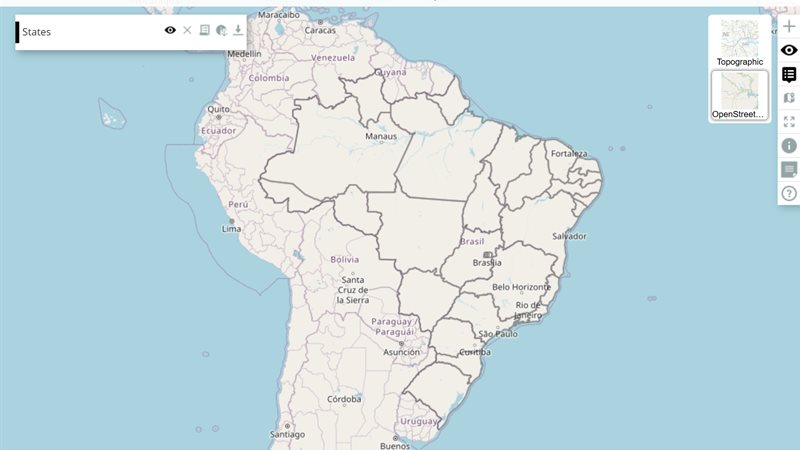
The example below, running in the Mappia calculator - click it to run it live. Full-size picture

  1. Run it

    Click the picture: the map opens right here and runs the example. Nothing is saved, and nothing to install.

  2. Try it
    • Click Show a message: a notification appears with the layer’s name in bold.
  3. Make it yours

    Copy the query, change it - the key parameters are below - and run it again in the playground, or paste it into the Mappia editor to save it as your map.

  4. More ways to use it

Key parameters

ParameterExampleWhat it does
handlersayHelloFunction run on each click, with this = the layer. Looked up in functions, then among globals, then run as inline code.
textShow a messageThe caption on the button.
idsay_helloLets your code find the button: Ext.getCmp('say_hello') to hide, disable or relabel it.
enableToggletrueMakes a toggle button that stays pressed until clicked again; toggleHandler then runs on each change.
toggleHandleronDetailsFunction run as (button, pressed) each time a toggle button changes state.
pressedtrueStarts a toggle button pressed.

Every parameter, with its type and default, is in the reference at the end of this page.

Complete example

The query 18 lines · runs as is
// Button: runs a function. A handler named by text is looked up in the layer's functions
// first, then among the globals; this = the layer.
[
  {
    title: "States",
    name: "CSR:estados",
    source: "calculate",
    opacity: 0.6,
    visibility: true,
    paramsButtonConfig: [{ type: "query", pressed: true }],
    descriptionHtml: "{{button|id=say_hello|text=Show a message|handler=sayHello}}",
    functions: {
      sayHello: function () {
        ExtjsUtils.ALERTIFY.log("Hello from the layer <b>" + this.name + "</b>");
      },
    },
  },
];

More examples

Other ways to use Button, each a complete query that runs as is - like the one above.

Toggle another layer

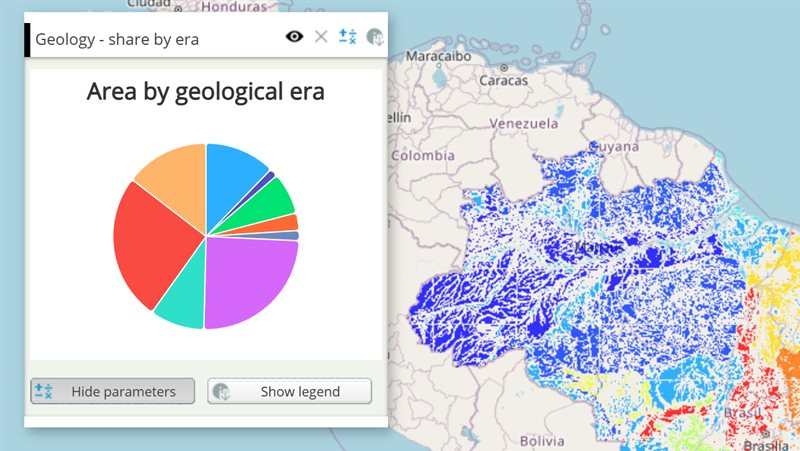
A button that stays pressed shows a second layer of the map and hides it when released - here the state borders over a carbon map.

Click the picture to run it live. Full-size picture

The query 27 lines · runs as is
// Toggle another layer: a button that stays pressed shows a second layer of the map and hides it when released - here the state borders over a carbon map.
// enableToggle=true makes the button a switch, and toggleHandler receives its new state.
// On the map a plain layer is named by its title, so it is found by the map it shows (params.LAYERS).
[
  {
    title: "Carbon stock",
    name: "CSR:biomassa_inv_br_redd",
    source: "calculate",
    opacity: 0.8,
    visibility: true,
    paramsButtonConfig: [{ type: "query", pressed: true }],
    descriptionHtml: "{{button|id=borders|text=State borders|enableToggle=true|pressed=true|toggleHandler=showBorders}}",
    functions: {
      showBorders: function (button, pressed) {
        this.map.layers.forEach(function (layer) {
          if (layer.params && layer.params.LAYERS === "CSR:estados") layer.setVisibility(pressed);
        });
      },
    },
  },
  {
    title: "States",
    name: "CSR:estados",
    opacity: 0.9,
    visibility: true,
  },
];

Customize it

Toggle buttons

With enableToggle=true the button stays pressed until clicked again, and toggleHandler receives the new state. If you give only handler, it is used as the toggle handler.

descriptionHtml:
  "{{button|id=details|text=Details|enableToggle=true|pressed=true|toggleHandler=onDetails}}",
functions: {
  onDetails: function (button, pressed) {
    ExtjsUtils.ALERTIFY.log(pressed ? "Details on" : "Details off");
  },
},

Change the calculation from a button

A button is not an input: a click does not recalculate the layer. To drive the calculation, store a value in an InputManager from the handler; setValues recalculates. To rerun the layer with the current inputs, call this.generateNewLegend(). this.getInputs() reads the other widgets of the layer.

Look and behaviour

Every other Ext JS 3.4 button option written in the markup is passed through, for example iconCls, tooltip, cls, width, disabled or scale. See the Ext.Button options. hidden=true creates it hidden; show it later with Ext.getCmp(id).show().

Notifications

ExtjsUtils.ALERTIFY.log(message, config) shows a short HTML message. Useful config keys: delay (milliseconds on screen), force: true (show it even when the user turned notifications off) and func (run when the message is clicked). Messages sent before the layers finish loading are held back, and only the last one is shown. See Notifications.

Pitfalls

  • Write handlers as regular functions, not arrow functions, or this is not the layer.
  • A handler name that matches no function is run as code. A typo is not reported when the map opens; it fails on the first click.
  • Keep code in functions, not inline in the markup: | and = have a meaning in the markup and break inline code.
Real maps that use it

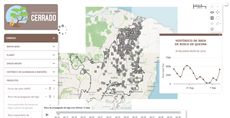
Button Example

Button Example

Button Example

Simple Toggle Button Example

Simple Toggle Button Example

FIP Cerrado - Fire monitoring (current map)

FIP Cerrado - Fire monitoring (current map)

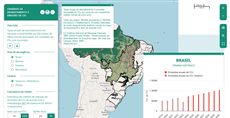
Panorama of Brazil's Forest Code

Panorama of Brazil's Forest Code

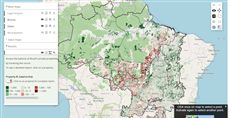
REDD Brazil - Deforestation, emissions and credits

REDD Brazil - Deforestation, emissions and credits

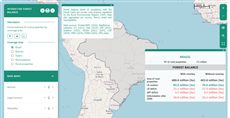
X-ray of the CAR - Forest Code balance per property

X-ray of the CAR - Forest Code balance per prop...

Reference: the parameters used here

Generated from the platform source. Every entry, searchable, is in the API reference; the raw data is api.json. Open an entry for its description, parameters and example; # links to it.

button · push or toggle button

Button9 entries

Written in a layer's descriptionHtml as {{button|parameter=value|...}}

Create a simple button to user interact with the map.
This button is created from Button.Configs.
Only some properties are listed in API here.

enableToggle

Boolean= false# Defines the button type as toggle.

Defines the button type as toggle. Set true to use as toggle, false otherwise. PS: When its true the callback is 'toggleHandler', otherwise the callback is 'handler'.

|enableToggle=true|

fieldLabel

String# Defines the button label.

Defines the button label.

|fieldLabel=A button|

handler

function= undefined# Defines the callback function on button click event.

Defines the callback function on button click event. This should be used when the enableToggle property is false. this inside the callback is the layer.

The value is resolved in this order: (1) a key of the layer functions object with that name; (2) a global function with that name (e.g. defined with setQueryGlobalProperties); (3) otherwise the text itself is evaluated as a function — either a full function(){...} expression or a plain statement body. With enableToggle=true and no toggleHandler, handler is used as the toggle handler.

button Ext.Button
The button element that was clicked.
clickEvent EventObject
An event object carrying information about the click event.
|handler=onExportClick|
|handler = function (button, clickEvent){
 console.log(button, clickEvent);
}|

hidden

Boolean= false# Set true to create the button hidden (Ext hidden config); show it later with Ext.getCmp(id).show().

Set true to create the button hidden (Ext hidden config); show it later with Ext.getCmp(id).show(). This is one example of the pass-through: every other Ext.Button config (iconCls, tooltip, cls, width, disabled, scale...) written in the markup is handed to the button unchanged.

|hidden=true|

id

String# Defines the id to identify the object.

Defines the id to identify the object.

|id=exemple_button|

pressed

Boolean= false# Defines the button initial state.

Defines the button initial state. Set it true to start pressed (only if enableToggle = true), false otherwise.

|pressed=true|

text

String# Defines the button text.

Defines the button text.

|text=Click On Me|

toggle

function# Alias of toggleHandler: a function given as toggle= is moved to toggleHandler (unless one is already defined), so the Ext toggle() method of the button is never overwritten.

Alias of toggleHandler: a function given as toggle= is moved to toggleHandler (unless one is already defined), so the Ext toggle() method of the button is never overwritten. Prefer toggleHandler.

|enableToggle=true|toggle=onToggleDetails|

toggleHandler

function= undefined# Defines the callback function on button toggle event.

Defines the callback function on button toggle event. This should be used when the enableToggle property is true. this inside the callback is the layer.

The value is resolved in this order: (1) a key of the layer functions object with that name; (2) a global function with that name (e.g. defined with setQueryGlobalProperties); (3) otherwise the text itself is evaluated as a function — either a full function(){...} expression or a plain statement body.

button Ext.Button
The button element that was clicked.
state Boolean
The next state of the button, true means pressed.
|enableToggle=true|toggleHandler=onToggleDetails|
|toggleHandler = function (button, pressed){
 console.log(button, pressed);
}|

ALERTIFY · messages and questions

Alertify1 entry
Messages, alerts and questions for the reader. Usage: ExtjsUtils.ALERTIFY
View the complete Alertify API here.

log

function(msg, config)helper# Shows an user notification (if enabled).

Written as ExtjsUtils.ALERTIFY.log

Shows an user notification (if enabled).

PS: The messages before layer loading are delayed, when it finishes only the last message will be shown.

msg String
The message that will be displayed in the alert. It can be in HTML format.
config Object
Configuration parameters for the message. { force: {Boolean} Force to show notification even when disabled. func: {Callback} Callback function when the notification is clicked. onlyMsg: {Boolean} True to only show message and hide the close and the stop notifications, False otherwise. delay: {Numeric} Amout of time in milisseconds before the message hide. spamTime: {Numeric} Time the same message to be shown again is considered spam. (even with force = true). }

Layer callbacks: functions you write

LayersFunctions1 entry
Functions you write in a layer and the platform calls: expression, afterCalc and legendColor on calculated layers; beforeCalc, onInputsReady, onVisibilityChange and the functions map on calculated and file layers. Inside them this is the layer - except in expression, see Kinds of layer.

functions

Object= null# Associate custom functions to handle events on layer callbacks such as button callbacks or any layer callbacks.

Associate custom functions to handle events on layer callbacks such as button callbacks or any layer callbacks. These functions are scoped to the Layer and can be referenced by name on layer widget callbacks. Functions can also be accessed using this.functions['<function_name>'].

[
  {
     title: 'Example of functions property',
     color: '#666699',
     elements: [
        {
           title: 'Click the button to see a message',
           name: 'CSR:geologia',
           group: 'Query',
           source: 'calculate',
           visibility: true,
           paramsButtonConfig: [
              { 
                 type:'query',
                 pressed: true,
              },
           ],
           descriptionHtml:
              '{{button|id=test_button|text=Click me!|handler=handleTestButtonClick}}',
           functions: {
              handleTestButtonClick: function() {
                 ExtjsUtils.ALERTIFY.log('Button clicked!');
              },
           },
        },
     ],
  },
]