Drawing and editing shapes

Quick start

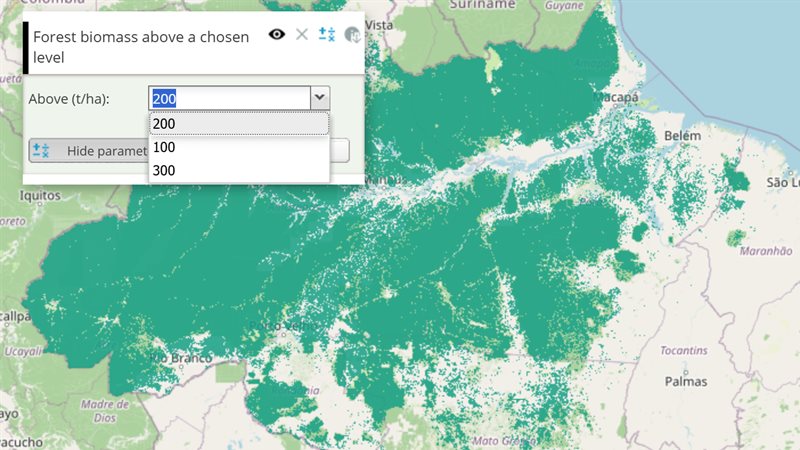
The example below, running in the Mappia calculator - click it to run it live. Full-size picture

  1. Run it

    Click the picture: the map opens right here and runs the example. Nothing is saved, and nothing to install.

  2. Try it
    • Click the pencil on the “Areas of interest” layer row, then click the map to place corners.
    • Double-click, or press Enter, to close the polygon. Click it later to drag its vertices.
    • Use the trash can on the same row to remove every shape.
  3. Make it yours

    Copy the query, change it - the key parameters are below - and run it again in the playground, or paste it into the Mappia editor to save it as your map.

Key parameters

ParameterExampleWhat it does
drawable{ drawModes: ["polygon", "line"], drawingHints: "bar" }Makes the layer editable and adds pencil, trash-can, undo and upload buttons to its row. true uses the defaults.
onFeatureChangeCallbackfunction (type, features, detail) { }Runs after every change; type is "editend" when a shape is committed, and detail.drawMode says polygon or line.
onBeforeFeatureChangeCallbackfunction (type) { return type !== "add" || this.features.length < 5; }Runs before shapes are added or removed; return false to cancel the change.
activateDrawModelayer.drawableController.activateDrawMode("polygon")Enters draw mode with that tool from your own code, as the toolbar pencil does.

Every parameter, with its type and default, is in the reference at the end of this page.

Complete example

The query 19 lines · runs as is
// Drawing shapes: `drawable` makes a vector layer editable - sketch polygons with the
// toolbar pencil (or the layer's drawableController.activateDrawMode("polygon")) and drag
// their vertices. The platform does not cut or merge shapes on its own: a "line" sketch adds
// a line feature, and overlap rules apply only when your code calls layer.resolveOverlap.
[
  {
    title: "Areas of interest",
    name: "areas_of_interest",
    source: "file",
    type: "empty",
    visibility: true,
    drawable: {
      drawModes: ["polygon", "line"], // the tools offered by the toolbar pencil
      onDrawingStatusChange: function (detail) {
        console.log(detail.status); // off | ready | drawing | drawing_line | feature_selected | vertex_drag
      },
    },
  },
];

Customize it

The drawable options

  • drawModes: ["polygon"] (the default) or ["polygon", "line"]. With both, the pencil gets a small menu to choose the tool.
  • onDrawingStatusChange(detail): detail.status is off, ready, drawing, drawing_line, feature_selected or vertex_drag; detail.canFinishDrawing and detail.canApplyFeatureChanges tell whether your own Finish and Apply buttons should be enabled.
  • onEditToggle(active, detail): draw mode was switched on or off.
  • drawingHints: "bar" shows a one-line hint at the bottom of the map; true adds hint buttons next to the pencil. The hint texts are in Portuguese.
  • buttons: { loadFile: false, clear: false } hides buttons of the layer row. A handler given there runs after the built-in action.
  • maxGeomCount and onGeomLimitReached limit how many shapes an uploaded file may add. Shapes drawn by hand are not counted; to cap them, return false from onBeforeFeatureChangeCallback, as in the table above.

Drive it from your own buttons

The draw-mode methods live on the layer’s drawableController:

var layer = ExtjsUtils.LAYER.getLayerByName("areas_of_interest");
layer.drawableController.activateDrawMode("polygon"); // same as the pencil
layer.drawableController.finishDrawing();             // same as a double-click
layer.drawableController.cancelDrawing();             // drop the sketch in progress
layer.drawableController.applyFeatureChanges();       // finish the sketch or the vertex edit

layer.features lists the shapes, and layer.getEditingFeatureId() tells which one is being edited.

Lines and overlaps are yours to handle

The platform does not cut polygons or resolve overlaps by itself. A line is added to the layer as a line feature, and a polygon drawn over another is simply added. Both end in onFeatureChangeCallback with type "editend", which is where you act. layer.resolveOverlap(edited, overlapping) applies the onOverlap rule: one key ("merge", "cut" or "keep") applies directly, a list asks the user (the prompt is in Portuguese).

onFeatureChangeCallback: function (type, features, detail) {
  if (type !== "editend" || (detail && detail.drawMode === "line")) return;
  var layer = this;
  var edited = features.map(function (f) { return f.geometry; });
  ExtjsUtils.GEOMETRY.loadGeometryLibrary(function () {
    var others = layer.features.filter(function (f) { return features.indexOf(f) < 0; })
      .map(function (f) { return f.geometry; });
    layer.resolveOverlap(edited, ExtjsUtils.GEOMETRY.findIntersecting(edited, others));
  });
},

To reshape shapes yourself, for example to clip them to a boundary or split them along a line with your own function, layer.applyGeomOp(geometries, options) replaces them with a difference, an intersection or the pieces your function returns, keeping their ids and attributes.

Pitfalls

  • Only source: "file" layers can be drawable; type: "empty" starts with no shapes.
  • Hiding the layer leaves draw mode; showing it again resumes it.
  • Many existing maps use the older setDrawing(enabled, callbackOnAdd): draw only, without the toolbar, vertex editing or status. It still works; prefer drawable for new maps.

Real maps that use it

SimAmazoniaINFRA - Deforestation and CO2 scenarios

Reference: the parameters used here

Generated from the platform source. Every entry, searchable, is in the API reference; the raw data is api.json. Open an entry for its description, parameters and example; # links to it.

File layers: style, events, drawing

VectorLayer12 entries
Keys and methods of a file layer: styles, clustering, click and hover callbacks (onClick, onHover), drawing (drawable), and the methods your functions call on this.
View complete VectorLayer documentation API here.

activateDrawMode

function(mode) : Boolean# Select polygon/line tool and enter edit mode when needed (split-button menu).

Select polygon/line tool and enter edit mode when needed (split-button menu).

mode String
'polygon' or 'line' — must be one of the layer's configured drawModes.

Returns true if the mode was activated (entering edit mode if not already active); false if mode isn't in the layer's drawModes.

applyFeatureChanges

function() : Boolean# Finish sketch or deselect feature (triggers featureEditEnd when applicable).

Finish sketch or deselect feature (triggers featureEditEnd when applicable).

Returns true if a sketch was finished or a feature was deselected; false if there was no active modify control.

applyGeomOp

function(sourceGeoms, options) : Object# Replace geometries on this drawable VectorLayer with id/attribute control via one options object.

Replace geometries on this drawable VectorLayer with id/attribute control via one options object. Only available on vector layers from VectorFileSource (e.g. drawable: true). Implementation helpers live in {@link DrawableSplit.applyGeomOp}.

sourceGeoms Array.<OpenLayers.Geometry>
Features selected by feature.geometry identity.
options Object|function
If a function, treated as { operation: fn }.
options.operation String|function
'difference' | 'intersection' | 'keep' or function(sourceGeom, sourceFeature) => Geometry[].
options.with OpenLayers.Geometry
Operand for difference / intersection.
options.attributes String|function
'keep' | 'empty' or function(sourceAttrs, pieceIndex, pieceCount) => Object.
options.preserveId Boolean
First piece of each source keeps OpenLayers id/fid.
// Cut overlaps (difference) — ``layer`` must be a drawable VectorLayer
  layer.applyGeomOp(intersecting, {
    operation: 'difference', with: editedUnion
  });
  // Clip to CAR (intersection)
  layer.applyGeomOp(outsideGeoms, {
    operation: 'intersection', with: carGeometry
  });
  // Custom pieces + empty attrs
  layer.applyGeomOp(geoms, {
    operation: function(g) { return [myTransform(g)]; },
    attributes: 'empty'
  });

cancelDrawing

function() : Boolean# Cancel the in-progress sketch/edit without committing changes.

Cancel the in-progress sketch/edit without committing changes.

Returns true if a sketch was cancelled; false if there was no active modify control.

deselectFeature

function() : Boolean# Deselect the currently selected/edited feature without discarding it.

Deselect the currently selected/edited feature without discarding it.

Returns true if a feature was deselected; false if there was no active modify control or nothing was selected.

drawable

Boolean|Object# Makes a vector layer editable: users can sketch, edit and delete polygon (optionally polygon+line) features, with configurable overlap resolution.

Makes a vector layer editable: users can sketch, edit and delete polygon (optionally polygon+line) features, with configurable overlap resolution. Set to true for defaults, or an object to configure:

  • maxGeomCount {Number} — maximum number of features allowed on the layer.
  • onFeaturesChange {Function(evt)} — fires on any feature-set change
        (add/remove/clear/load); evt.type identifies the cause.
  • onGeomLimitReached {Function} — called when a draw attempt would exceed maxGeomCount.
  • onEditToggle {Function(active, detail)} — sketch/edit mode turned on or off.
        detail: { active, editingIntent, reason }, reason is 'toggle' (user/tenant)
        or 'visibility' (layer show/hide).
  • onDrawingStatusChange {Function(detail)} — fine-grained sketch/edit state for UI.
        detail.status: 'off'|'ready'|'drawing'|'drawing_line'|'feature_selected'|'vertex_drag',
        plus drawMode, canFinishDrawing, canApplyFeatureChanges, sketchPointCount,
        selectedFeature.
  • drawModes {Array<String>} — ['polygon'] (default) or ['polygon','line'],
        the sketch tools available in edit mode. Alias: drawingTypes.
  • drawingHints {String|Boolean} — false|true|'toolbar'|'bar'|'both',
        lightweight on-map edit guidance.
  • onOverlap {String|Array<String>} — a single action key (applied without prompt)
        or an ordered list of keys to prompt for when a new/edited feature overlaps
        another. Defaults to merge/cut/keep ({@link DrawableSplit.OVERLAP_ACTIONS}).
        Applied by layer.resolveOverlap.
  • buttons {Object} — layer-row toolbar overrides: edit, clear, removeLast, loadFile.

Exposed at runtime as layer.drawableController — see VectorLayer.activateDrawMode, VectorLayer.finishDrawing, VectorLayer.cancelDrawing, VectorLayer.deselectFeature, VectorLayer.applyFeatureChanges.

[{
  name: "CSR:file_draw", source: "file", type: "empty",
  drawable: {
    maxGeomCount: 5,
    drawModes: ['polygon', 'line'],
    onOverlap: ['merge', 'cut', 'keep'],
    onDrawingStatusChange: function(detail) { console.log(detail.status); },
    onEditToggle: function(active, detail) { console.log(active, detail.reason); }
  }
}]

finishDrawing

function() : Boolean# Commit in-progress polygon sketch (same as double-click).

Commit in-progress polygon sketch (same as double-click).

Returns true if a sketch was committed; false if there was no active modify control.

getEditingFeatureId

function() : String|Number|null# Feature id currently selected for vertex edit (drawable modify control), if any.

Feature id currently selected for vertex edit (drawable modify control), if any.

onBeforeFeatureChangeCallback

function# Defines the callback function that is called before a layer feature is added, removed or edited.

Defines the callback function that is called before a layer feature is added, removed or edited. PS: If it returns false, the change operation is canceled.

operationType String
Receive the operation type: 'add' or 'remove' when adding or removing respectively.
arrFeatures Array
Array of features affected.
{
     ...,
     onBeforeFeatureChangeCallback: function(operationType, arrFeatures) {
         
     },
     ...
}

onFeatureChangeCallback

function# Defines a function that is called after a layer feature is added, removed or edited.

Defines a function that is called after a layer feature is added, removed or edited.

operationType String
One of: 'add' (features added in bulk, e.g. after loading data), 'add1' (a single feature added interactively), 'remove' (features removed), 'editend' (a drawable-layer sketch/edit was committed), 'editvertex' (a vertex was dragged/modified while editing).
arrFeatures Array
Array of features affected.
detail Object
Optional context. For editend: { drawMode: 'polygon'|'line' }.
{
     ...,
     onFeatureChangeCallback: function (operationType, arrFeatures) {
         
     },
     ...
}

resolveOverlap

function(editedGeoms, intersectingGeoms, options)# Resolve overlaps between edited and existing polygons on this drawable VectorLayer.

Resolve overlaps between edited and existing polygons on this drawable VectorLayer. Uses drawable.onOverlap: a single key applies immediately; an array prompts via ALERTIFY.confirmChoice (merge / cut / keep).

editedGeoms Array.<OpenLayers.Geometry>
Geometries just drawn or edited.
intersectingGeoms Array.<OpenLayers.Geometry>
Existing geometries they overlap.
options Object
Optional overrides.
options.onOverlap String|Array.<String>
Override controller onOverlap.
options.message String
Prompt text.
options.onComplete function
After the chosen action (or no-op).
drawableLayer.resolveOverlap(editedGeoms, intersectingGeoms, {
    onComplete: function() { drawableLayer.callFunction('validateGeometries'); }
  });

setDrawing

function(enabled, callbackOnAdd)# Defines drawing features on layers.

Defines drawing features on layers. PS: Function is available to the VectorLayer.

enabled Boolean
True to enable drawing, False otherwise.
callbackOnAdd function
Callback when a new feature is drew. P.S.: You can use 'this' to access layer properties. P.S.2: The callback function receives 2 parameters: - vectorLayer: Current layer. - drawEvent: The info of the added polygon.
this.setDrawing(false, function (vectorLayer, drawEvent) {})

File layers: vertex editing control

CustomModifyFeature5 entries
The vertex-editing control of drawable vector layers, reachable as layer.drawableController.modifyFeatureControl. Extends OpenLayers.Control.ModifyFeature.

Drawing

Object# Pure drawing/status constants and helpers of the modify control (no control instance needed), reachable as OpenLayers.Control.CustomModifyFeature.Drawing.

Pure drawing/status constants and helpers of the modify control (no control instance needed), reachable as OpenLayers.Control.CustomModifyFeature.Drawing. What a query uses from it is DRAWING_STATUS, the enum of the detail.status values that drawable.onDrawingStatusChange(detail) reports: OFF: "off" (not editing), READY: "ready" (editing active, nothing sketched or selected), DRAWING: "drawing" (a polygon sketch is in progress), DRAWING_LINE: "drawing_line" (a line sketch is in progress), FEATURE_SELECTED: "feature_selected" (an existing feature is selected for editing) and VERTEX_DRAG: "vertex_drag" (a vertex of the selected feature is being dragged). It also holds DRAW_MODES (POLYGON: "polygon", LINE: "line", the detail.drawMode values), the default Portuguese STATUS_LABELS per status, MIN_POLYGON_SKETCH_POINTS (4) / MIN_LINE_SKETCH_POINTS (2) and minSketchPointsForMode(drawMode). Compare against the constants instead of hard-coding the strings.

drawable: {
    onDrawingStatusChange: function(detail) {
        var S = OpenLayers.Control.CustomModifyFeature.Drawing.DRAWING_STATUS;
        finishButton.setDisabled(!(detail.status === S.DRAWING || detail.status === S.DRAWING_LINE) || !detail.canFinishDrawing);
        applyButton.setDisabled(detail.status !== S.FEATURE_SELECTED);
    }
}

buildStatusDetail

function() : Object# Builds the current drawing/edit status of the control on demand — the same detail object drawable.onDrawingStatusChange(detail) receives, so a host UI can read the state at any moment (e.g. when …

Builds the current drawing/edit status of the control on demand — the same detail object drawable.onDrawingStatusChange(detail) receives, so a host UI can read the state at any moment (e.g. when it is first shown) instead of waiting for the next change. Fields: status (one of CustomModifyFeature.Drawing.DRAWING_STATUS, never "off" here — the control only exists while editing), drawMode, isDrawing, featureSelected, vertexDrag, selectedFeature (the OpenLayers.Feature.Vector or null), sketchPointCount, canFinishDrawing, canDeselectFeature, canApplyFeatureChanges and canCancelDrawing. Reachable as layer.drawableController.modifyFeatureControl.buildStatusDetail().

Returns The status detail object described above.

var detail = layer.drawableController.modifyFeatureControl.buildStatusDetail();
if (detail.canApplyFeatureChanges) {
    layer.drawableController.applyFeatureChanges();
}

getActiveDrawMode

function() : String# The geometry mode new sketches use on this control: "polygon" (default) or "line" (only when the layer's drawable.drawModes includes it), i.e. one of CustomModifyFeature.Drawing.DRAW_MODES.

The geometry mode new sketches use on this control: "polygon" (default) or "line" (only when the layer's drawable.drawModes includes it), i.e. one of CustomModifyFeature.Drawing.DRAW_MODES. Reachable as layer.drawableController.modifyFeatureControl.getActiveDrawMode(); the same value arrives as detail.drawMode in onDrawingStatusChange.

Returns "polygon" or "line".

var control = layer.drawableController.modifyFeatureControl;
if (control.getActiveDrawMode() === OpenLayers.Control.CustomModifyFeature.Drawing.DRAW_MODES.LINE) {
    console.log("next sketch cuts polygons along a line");
}

getSelectedFeatureId

function() : String|Number|null# Id of the feature currently selected for editing.

Id of the feature currently selected for editing.

isFeatureSelected

function() : Boolean# Whether a feature of the layer is currently selected for editing on this control (its vertices are shown and draggable).

Whether a feature of the layer is currently selected for editing on this control (its vertices are shown and draggable). Reachable as layer.drawableController.modifyFeatureControl.isFeatureSelected(); use getSelectedFeatureId() to know which one.

Returns true while a feature is selected for editing.

var control = layer.drawableController.modifyFeatureControl;
if (control.isFeatureSelected()) {
    console.log("editing feature " + control.getSelectedFeatureId());
}